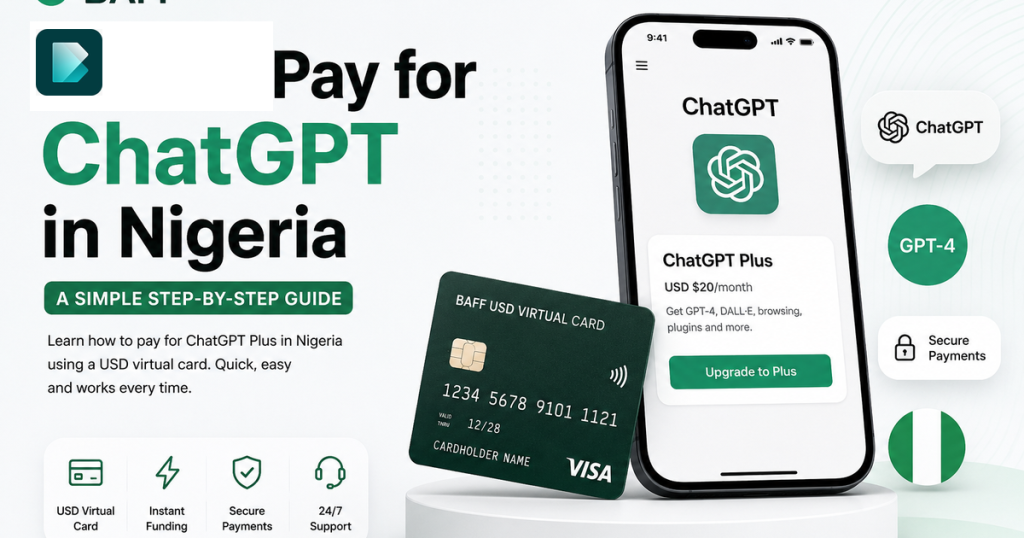
Have you ever tried upgrading your ChatGPT account, entered your Nigerian bank card details, clicked the payment button and then received a message saying:
“Your card has been declined.”
It can be frustrating.
Especially when you have enough money in your account.
For many Nigerians, the problem isn’t necessarily the money in the account. The challenge is that international online subscriptions may require a payment method that supports the relevant international billing and card requirements.
OpenAI accepts credit and debit cards for ChatGPT subscriptions, while subscription payments and available currencies can vary depending on where and how you subscribe.
This is where a USD virtual card can be useful.
In this guide, I’ll show you how to pay for ChatGPT in Nigeria using the BAFF USD Virtual Card.
I’ll also explain what you need before subscribing, how to avoid failed payments and what to check if your transaction doesn’t go through.
Why Can’t Some Nigerian Naira Cards Pay for ChatGPT?
This is one of the most common questions Nigerians ask when trying to upgrade their ChatGPT account.
You may have money in your bank account.
Your card may work perfectly when you’re:
- Buying things in Nigeria
- Paying at a POS
- Transferring money
- Paying for local services
But when you try to pay for an international subscription, your transaction may fail.
This can happen because international card payments depend on several factors, including your card type, your bank’s international transaction settings, the payment processor and whether the card supports the required transaction.
A USD virtual card can provide another payment option for eligible international subscriptions.
If you want to understand how the card works before creating one, you can read our complete guide on the BAFF USD Virtual Card.
What Do You Need Before Paying for ChatGPT?
Before starting, make sure you have the following:
A ChatGPT Account
You’ll need an active ChatGPT account before you can upgrade to a paid plan.
A BAFF Account
You’ll need to create and verify your BAFF account.
A Tier 3 BAFF Account
BAFF requires users to upgrade to Tier 3 before creating a USD virtual card.
Money in Your BAFF Wallet
You’ll need to deposit Naira into your BAFF wallet before funding your USD virtual card.
Enough Balance for Your ChatGPT Subscription
Before attempting payment, make sure you have enough available balance to cover the subscription amount and any applicable charges.
This last part is important.
One reason payments can fail is simply insufficient balance.
Don’t wait until you are at the payment page before checking how much money is available on your card.
How to Pay for ChatGPT in Nigeria Using BAFF
Let’s go through the process step by step.
Step 1: Create Your BAFF Account
The first thing you need to do is create a BAFF account. BAFF App
If you don’t already have one, download the BAFF app and complete the registration process.
Once your account is ready, you can access BAFF’s financial services, including its USD virtual card feature for eligible users.
BAFF also provides other services, including transfers, bill payments, business loans and financial tools for businesses. BAFF | USD VIRTUAL CARD
Step 2: Upgrade Your BAFF Account to Tier 3
Before creating a BAFF USD virtual card, you need to upgrade your account to Tier 3.
Complete the required verification process in the BAFF app.
Once your account has been successfully upgraded, you can proceed with creating your USD virtual card.
This is an important step.
If you cannot access the USD card feature, check whether your BAFF account has been upgraded to the required level.
Step 3: Fund Your BAFF Wallet With Naira
Once your account is ready, the next step is to fund your BAFF wallet.
You can deposit Naira into your BAFF account.
BAFF’s published information states that users can fund their wallet through options including bank transfers to their BAFF virtual account, and cash through selected POS agents.
In simple terms:
Your Nigerian bank account → BAFF Wallet → USD Virtual Card
If you are new to BAFF, make sure you understand how your wallet works before proceeding with the card funding process.
Step 4: Create Your BAFF USD Virtual Card
Once you have completed the necessary account verification and funded your wallet, you can create your USD virtual card.
BAFF states that its virtual USD cards are designed for online purchases and international payments and can be issued as Visa or Mastercard cards through its banking partners.
The process is simple:
- Open the BAFF app.
- Go to the card section.
- Select the USD Virtual Card option.
- Follow the instructions to create your card.
- Fund the card with the amount you need for your subscription.
BAFF promotes instant virtual card issuance, allowing eligible users to access their card digitally without waiting for a physical card.
Step 5: Fund Your USD Virtual Card
Now comes the important part.
Before paying for ChatGPT, make sure your USD virtual card has enough money available.
This is where many users make a mistake.
They see the subscription price and fund their card with exactly that amount.
Then the payment fails because the total amount required may be higher due to applicable taxes, pricing, exchange rates or other charges.
My Advice: Don’t Fund Your Card With the Exact Minimum
Give yourself a reasonable balance buffer.
Before making payment, check the final amount shown on the ChatGPT checkout page and ensure your card has enough money to complete the transaction.
This can help you avoid one of the most common payment problems: insufficient balance.
Step 6: Log Into Your ChatGPT Account
Once your BAFF USD virtual card is ready and funded, go to ChatGPT and log into your account.
If you don’t have an account yet, create one first.
After logging in, look for the option to upgrade your account.
Depending on the version of ChatGPT and your location, the available plans and pricing options may differ.
OpenAI’s payment options and supported currencies can also change, so always check the current subscription page before making payment.
Step 7: Choose Your Preferred ChatGPT Plan
Select the ChatGPT plan you want to subscribe to.
Before proceeding, carefully review:
- The subscription price
- The currency being charged
- Any applicable taxes
- The billing frequency
- The renewal information
Don’t assume that the amount you saw in an old blog post is still the current price.
Subscription pricing and billing can change.
The best place to confirm your current price is directly on the ChatGPT checkout page.
Step 8: Enter Your BAFF USD Virtual Card Details
When you get to the payment page, enter the details of your BAFF USD virtual card.
You may need information such as:
- Card number
- Expiry date
- CVV
- Cardholder information
Make sure you enter everything correctly.
A small mistake in the card number or CVV can cause the transaction to fail. BAFF | USD VIRTUAL CARD
Step 9: Complete Your Payment
After confirming your payment details, proceed with the transaction.
If your card is accepted and your payment is successful, your ChatGPT subscription should be activated according to the terms shown during checkout.
Congratulations—you’ve successfully paid for your ChatGPT subscription from Nigeria.
Can You Use a BAFF USD Virtual Card for ChatGPT?
A USD virtual card can be useful for international online subscriptions.
Based on BAFF’s USD card offering, the card is designed for eligible international online payments and subscriptions. BAFF also lists international digital platforms among the intended use cases for its USD virtual card.
However, card acceptance can ultimately depend on the merchant, payment processor and transaction requirements at the time of payment.
That is why it’s always important to:
- Make sure your card is active.
- Ensure you have enough balance.
- Enter your card details correctly.
- Check the final amount before paying.
Why Your ChatGPT Payment May Fail
If your payment doesn’t go through, don’t immediately assume that your BAFF USD virtual card is not working.
Check these things first.
1. You Don’t Have Enough Balance
This is one of the most common reasons for failed transactions.
For example, imagine your available balance is:
$20
But the final transaction requires more than $20.
Your payment may fail.
Always check the final amount and keep enough money on your card.
2. Your Card Details Are Incorrect
Double-check:
- Card number
- Expiry date
- CVV
One incorrect number can stop your transaction.
3. Your Card Has Not Been Properly Funded
Make sure you have successfully funded your USD virtual card before attempting payment.
Having money in your BAFF wallet is not always the same as having the required amount available on the card for the transaction.
Check your available card balance.
4. The Payment Requires Additional Verification
Some online payments may require additional verification or authentication.
Follow the instructions provided during checkout.
5. The Merchant or Payment Processor Declines the Transaction
Sometimes a transaction can be declined because of the merchant’s payment requirements or the payment processor.
Virtual card acceptance can vary between merchants.
If your payment fails after confirming that you have enough money and entered the correct information, contact the relevant support team for assistance.
Who Should Use a USD Virtual Card to Pay for ChatGPT?
A USD virtual card can be particularly useful for Nigerians who use ChatGPT regularly for work, business or education.
Digital Marketers
As a digital marketer, ChatGPT can be useful for:
- Content ideas
- Ad copy
- Social media captions
- Marketing research
- Campaign planning
- SEO content
- Email marketing
If ChatGPT is part of your everyday workflow, having a reliable payment option for eligible subscriptions can make managing your tools easier.
Freelancers
Freelancers can use ChatGPT for:
- Research
- Writing
- Client communication
- Brainstorming
- Productivity
A USD virtual card can help manage eligible international software subscriptions.
Business Owners
Business owners are increasingly using AI tools for everyday work.
From writing product descriptions to creating marketing ideas, AI can save time.
A USD virtual card gives eligible users another option for paying for the digital tools they use.
Students
Students may use ChatGPT for research, learning, brainstorming and productivity.
Depending on the features they need, they may choose to explore ChatGPT’s available paid plans.
Content Creators
Creators can use ChatGPT to:
- Brainstorm video ideas
- Write scripts
- Create captions
- Research content topics
- Plan content calendars
For creators who use AI tools regularly, managing international subscriptions can become part of their monthly expenses.
Why Use BAFF for International Online Payments?
The main reason is convenience.
Instead of looking for physical dollars or relying entirely on your regular Naira debit card, BAFF gives eligible users access to a digital USD virtual card for international online payments.
BAFF highlights several benefits of its USD virtual card, including:
- Digital card access
- International online payments
- Security features
- Flexible spending control
- Funding through the BAFF ecosystem
BAFF states that its virtual cards are protected with security measures including PIN and biometric authentication, with encrypted card details. BAFF | USD VIRTUAL CARD
How Much Money Should You Put on Your Card for ChatGPT?
The best answer is:
Check the final amount on the ChatGPT payment page first.
Subscription prices, taxes and currency requirements can change.
Once you know the total amount, make sure you have enough available balance to cover it.
Avoid funding your card with exactly the minimum subscription amount.
A small buffer can help prevent a transaction from failing because your available balance is slightly lower than the final charge.
OpenAI’s supported currencies and payment methods may also differ based on the country and the subscription method, so check the current checkout details before paying.
Can You Pay for ChatGPT With a Nigerian Naira Card?
Whether a Nigerian Naira card works can depend on the bank, card type, international transaction settings and the payment processor.
However, many Nigerians experience difficulties when trying to use local Naira cards for international subscriptions.
If your Naira card is declined, a USD virtual card can provide another payment option for eligible international transactions.
The important thing is to use a legitimate payment method that complies with the card provider’s and merchant’s requirements.
A Simple Example
Let’s say you’re a digital marketer in Nigeria.
You use ChatGPT almost every day.
You use it to:
- Create content ideas
- Write social media captions
- Plan campaigns
- Generate ad copy
- Brainstorm marketing strategies
You decide to upgrade your account.
You try your regular Naira card.
Payment declined.
Instead of giving up, you can:
Create a BAFF account
↓
Upgrade to Tier 3
↓
Fund your BAFF wallet with Naira
↓
Create your USD virtual card
↓
Fund the card
↓
Go back to ChatGPT and enter your card details
↓
Complete the payment if the transaction is accepted
That’s the basic process.
Frequently Asked Questions About Paying for ChatGPT in Nigeria
How Can I Pay for ChatGPT in Nigeria?
You can pay for an eligible ChatGPT subscription using a supported credit or debit card. If your regular Naira card does not work for the transaction, you can consider a USD virtual card such as the BAFF USD Virtual Card.
Can I Use a BAFF USD Virtual Card for ChatGPT?
BAFF’s USD virtual card is designed for eligible international online payments and subscriptions. Final acceptance depends on the merchant and payment processor at the time of the transaction.
Why Is My Nigerian Card Being Declined on ChatGPT?
Possible reasons include international transaction restrictions, card limitations, payment processor requirements or bank settings.
If your Naira card does not work, you may need another payment method that supports the transaction.
Do I Need to Upgrade to Tier 3 to Create a BAFF USD Card?
Yes. BAFF users need to complete the required Tier 3 account upgrade before creating a USD virtual card.
Can I Fund My BAFF USD Card With Naira?
BAFF users can fund their wallet with Naira and use the available funding options within the BAFF ecosystem to fund eligible card transactions. BAFF lists bank transfers and selected POS agents among its wallet funding options.
Why Did My ChatGPT Payment Fail?
One possible reason is insufficient balance.
Other possible reasons include:
- Incorrect card details
- Card limitations
- Additional verification requirements
- Merchant restrictions
- Payment processor issues
Always check your card balance and payment details before trying again.
Can I Cancel My ChatGPT Subscription?
Yes. Subscription management and cancellation options are available through your ChatGPT account, subject to the plan and subscription method you used.
If you subscribed through an app store, your subscription may need to be managed through that store instead. OpenAI notes that subscriptions purchased through iOS or Android can be managed through Apple or Google Play. Multi-currency billing | OpenAi Help center
Final Thoughts
Paying for international digital tools from Nigeria can sometimes be frustrating.
You’ve got the money.
You’ve got the account.
You’ve entered your card details.
Then you see:
Payment declined.
A USD virtual card gives you another option for eligible international online payments.
With BAFF, the process is straightforward:
Create your BAFF account.
Upgrade to Tier 3.
Fund your BAFF wallet with Naira.
Create your USD virtual card.
Fund your card.
Use it for eligible international online payments.
If you regularly pay for digital tools, subscriptions or online services, the BAFF USD Virtual Card can help you manage those international payments from one financial platform.
BAFF’s card offering is designed for international subscriptions, online shopping, advertising and other eligible global payments. BAFF | USD VIRTUAL CARD
Ready to Pay for ChatGPT?
Create your BAFF account, complete your Tier 3 verification and create your USD virtual card.