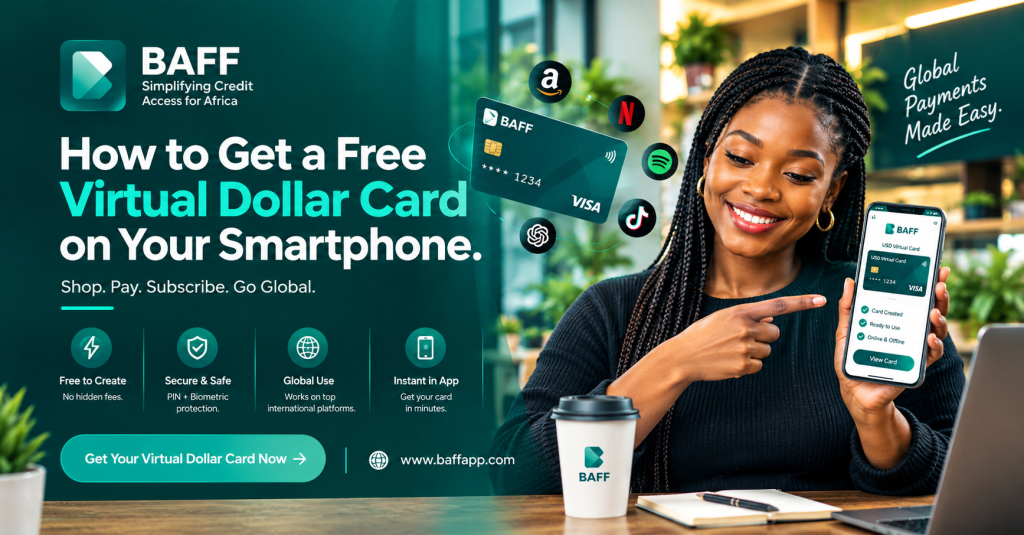
You can create a free virtual dollar card on your smartphone with the BAFF app. The basic process is to download BAFF, create and verify your account, fund your BAFF wallet with Naira, open the Cards section, and create your USD virtual card.
BAFF’s current product information states that card creation is free, while a one-time $2 usage or activation fee may apply when you activate the card for spending. Funding charges, foreign-exchange rates, merchant rules, and other applicable terms may also apply. Always review the exact amount shown in the app before confirming.
A BAFF USD virtual card can be used for eligible international online payments, including subscriptions, software, advertising, online shopping, and digital services. Create your BAFF USD virtual card or continue reading for the complete smartphone setup guide.
Important pricing note: “Free virtual dollar card” refers to free card creation under BAFF’s current offer. It does not necessarily mean that every transaction, currency conversion, funding action, or card activation is free.
What is a virtual dollar card?
A virtual dollar card is a digital payment card that exists inside an app rather than as a physical plastic card. It usually includes card details such as a card number, expiry date, and security code for eligible online payments.
A USD virtual card is designed for transactions billed in United States dollars or other supported international currencies. It can provide an alternative when a regular local debit card is declined by an international merchant or online platform.
You can use a virtual dollar card from your smartphone without visiting a bank branch. However, acceptance is determined by the merchant, payment processor, card network, and the current rules of the card provider.
Why use a virtual dollar card in Nigeria?
Many Nigerian users need to pay international merchants for digital tools, subscriptions, advertising, courses, and online shopping. A local Naira card may not work for every international transaction, recurring payment, or merchant category.
A virtual dollar card may be useful for:
•Digital marketers paying for Facebook, Instagram, TikTok, or Google advertising.
•Freelancers paying for software and productivity tools.
•Content creators subscribing to Canva, ChatGPT, Adobe, or other platforms.
•Students purchasing online courses and learning resources.
•Small-business owners buying from international websites.
•Remote workers paying for work tools and cloud services.
•Consumers paying for eligible streaming and entertainment subscriptions.
The card does not guarantee approval for every merchant. Some websites block prepaid, virtual, or internationally issued cards. A successful payment also depends on having enough available balance and entering the correct billing information.
How to get a free virtual dollar card with BAFF
Step 1: Download the BAFF app
Start by downloading the BAFF app from the official website or the appropriate app store. Use the links provided on the official BAFF homepage to avoid unofficial downloads.
BAFF provides access through:
Check the developer name and app details before installing. Do not share your password, one-time password, PIN, or biometric information with another person.
Step 2: Create and verify your BAFF account
Open the app and register with your phone number. Complete the identity-verification steps requested by BAFF.
BAFF’s published guide says users need a verified account, a valid phone number, and government identification before using eligible financial services. Some services may require a higher verification level, such as Tier 3. Check your profile to see whether your account is fully verified.
Verification helps the provider comply with customer-identification requirements and assess access to its services. Approval is not automatic for every user.
Step 3: Fund your BAFF wallet with Naira
Transfer Naira from your Nigerian bank account to your BAFF wallet using the funding method shown in the app. BAFF’s public information also describes wallet funding through a virtual account and, where available, cash through a POS agent.
Keep enough balance for the card activation or usage fee, the purchase amount, foreign-exchange conversion, and any applicable funding charge. The exact Naira amount required for a dollar payment depends on the exchange rate displayed before confirmation.
Step 4: Open the Cards section
After your account is verified and your wallet is funded, open the Cards section in the BAFF app. Select the option to create a USD Virtual Card and follow the prompts.
The menu labels may change as BAFF updates the app. If you cannot find the card option, update the app, confirm that your account is verified, or contact BAFF support through the official channels.
Step 5: Create and activate the card
Review the card-creation information shown in the app. BAFF currently states that creating the virtual card is free, while a one-time $2 usage or activation fee applies when the card is activated for spending.
Because pricing and offers can change, rely on the final in-app disclosure rather than an old screenshot or social-media post. Confirm the amount before proceeding.
Step 6: Fund the USD card
Move the amount you need from your BAFF wallet to the virtual dollar card using the in-app funding flow. You may need to convert Naira into the supported dollar balance before paying an international merchant.
For recurring subscriptions, keep a small balance buffer. A subscription can fail when the available balance is lower than the renewal amount, when the exchange rate changes, or when the merchant places a temporary verification hold.
Step 7: Pay online with your virtual card
Use the card details displayed in the BAFF app at checkout. Enter the card number, expiry date, security code, and billing information exactly as requested by the merchant.
Do not send your full card details in public comments or messages. Use the card only on websites and apps that you trust.
Where can you use a BAFF USD virtual card?
BAFF lists several international platforms and use cases for its USD virtual card. Acceptance can vary by merchant policy, account location, card type, and payment processor.
| Use case | Examples listed by BAFF |
| Streaming and entertainment | Netflix, Spotify, Apple Music |
| Online shopping | Amazon, Shein, and other eligible international stores |
| Advertising | Facebook or Meta Ads, Instagram Ads, and Google Ads |
| Software and digital tools | ChatGPT, Canva, Adobe, and similar services |
| Education | Coursera, Udemy, and other eligible course platforms |
| Online services | International subscriptions and platforms that accept the card |
Review the merchant’s payment rules before funding the card. A card that works for one service may be declined by another service because international merchants apply different controls.
For the full current merchant list and product details, visit the BAFF USD Virtual Card page.
Is the BAFF virtual dollar card really free?
BAFF’s current product page says that creating the USD virtual card is free. The same page states that a one-time $2 usage fee applies when you activate the card for spending. BAFF’s guide also says the card-creation process is free and lists a $2 one-time activation or usage fee.
This means the safest explanation is:
| Cost item | Current BAFF information |
| Card creation | Free under the current offer. |
| Card activation or usage | A one-time $2 fee may apply when spending is activated. |
| Wallet funding | Bank-transfer or other funding charges may apply. |
| Naira-to-dollar conversion | The applicable foreign-exchange rate is shown in the app before confirmation. |
| Merchant charges | The merchant may apply its own price, tax, verification hold, or subscription charge. |
Product prices, offers, and fees can change. Check the app’s final confirmation screen before creating, activating, funding, or using the card.
What you need before creating the card
Prepare the following before starting:
•An Android or iPhone smartphone.
•The official BAFF app.
•An active phone number.
•A valid government-issued identification document.
•A verified BAFF account.
•Naira in your BAFF wallet.
•A clear reason for using the card, such as a subscription, advertisement, software payment, course, or online purchase.
Some account services may require additional verification details. Provide accurate information and use an account that belongs to you.
How to fund a BAFF USD virtual card with Naira
You do not need to begin with physical United States dollars. The typical process is:
Nigerian bank account → BAFF Naira wallet → USD virtual card → international online payment.
First, transfer Naira to your BAFF wallet through the funding method displayed in the app. Next, select the amount you want to use for the card. Review the exchange rate and any applicable charge before confirming the conversion. Finally, use the dollar balance for an eligible online transaction.
The amount of Naira required depends on the current rate and the total dollar amount needed. If you are paying for a recurring service, include a small buffer for exchange-rate changes or temporary merchant authorisations.
What to do if your virtual card payment is declined
A declined payment does not always mean that the card is unusable. Check these common causes first:
Confirm the available balance
Make sure the card has enough USD balance for the purchase, taxes, delivery charges, recurring payment, and any temporary authorisation hold.
Check the card details
Re-enter the card number, expiry date, security code, and billing details. A single incorrect digit can cause a decline.
Check merchant acceptance
Some merchants do not accept prepaid, virtual, or international cards. Review the merchant’s payment policy or try another supported payment method.
Turn off a location-changing VPN
A VPN can make your device location appear inconsistent with your billing country. This may trigger a merchant’s fraud-prevention system.
Confirm that the subscription is active
For a recurring charge, verify that the card has not expired, the balance is sufficient, and the merchant has not placed the account on hold.
Contact official support
If the payment continues to fail, contact BAFF through the official app or the support details listed on BAFF’s official website. Never share your PIN or one-time password with anyone claiming to be support.
How to use your virtual dollar card safely
Treat a virtual card like a real payment card. Use a strong app password, enable biometric security where available, and keep your phone’s operating system updated. Avoid entering card details on links sent through unsolicited messages.
Check every subscription after payment. Cancel services you no longer need and monitor your balance for unexpected renewals. If you see a transaction you do not recognise, contact BAFF promptly through an official channel.
Do not promise customers that a virtual dollar card will work for every website. Merchant acceptance may change without notice. Present the card as a convenient payment option, not as a guarantee of approval.
Free virtual dollar card alternatives and what to compare
Before choosing any virtual dollar card provider, compare more than the word “free.” Review the following:
| Comparison factor | Questions to ask |
| Creation cost | Is the card free to create, or is a charge applied immediately? |
| Activation cost | Is there a one-time activation or usage fee? |
| Funding | Can you fund from Naira, bank transfer, or another supported method? |
| Exchange rate | What rate is displayed before you convert Naira to dollars? |
| Merchant acceptance | Does the card work with your intended platform? |
| Recurring payments | Are subscriptions and automatic renewals supported? |
| Limits | Are there daily, monthly, transaction, or merchant-category limits? |
| Security | Are PIN, biometric authentication, alerts, and card controls available? |
| Support | Can you reach an official support team if a payment fails? |
BAFF’s official USD virtual-card page and in-app disclosure should be treated as the source of truth for its current pricing, limits, and availability.
Frequently asked questions
How can I get a free virtual dollar card on my smartphone?
Download the BAFF app, create and verify your account, fund your BAFF wallet with Naira, open the Cards section, and select USD Virtual Card. BAFF currently states that card creation is free, but a one-time $2 activation or usage fee may apply when you activate the card for spending.
Is a free virtual dollar card completely free to use?
Not necessarily. Free creation does not mean that activation, funding, currency conversion, merchant charges, or every transaction is free. Review the exact fee shown in the BAFF app before confirming.
Can I get a virtual dollar card in Nigeria without a bank account?
You need a supported way to fund your BAFF wallet and card. BAFF’s published guide describes funding the wallet with Naira from a bank account. Check the app for the current supported funding methods and requirements.
Can I fund a BAFF USD virtual card with Naira?
Yes. BAFF’s published information says you can fund your BAFF wallet with Naira and then move the required amount to the USD virtual card inside the app. The applicable exchange rate is shown before you confirm the conversion.
What can I use a BAFF USD virtual card for?
BAFF lists international subscriptions, online shopping, Facebook or Meta Ads, Google Ads, ChatGPT, Canva, Apple Music, Netflix, Spotify, Amazon, Shein, and online courses as use cases. Acceptance depends on the merchant and payment processor.
Can I use a BAFF virtual dollar card for Netflix?
BAFF lists Netflix among the platforms where its USD virtual card can be used. Keep sufficient balance for the subscription renewal and remember that merchant acceptance can change.
Can I use the BAFF USD virtual card for Facebook or Google Ads?
BAFF promotes the card for Facebook, Instagram, and Google advertising payments. The payment still depends on the advertising platform’s acceptance rules, account status, available balance, and billing details.
Why was my virtual dollar card payment declined?
Common causes include insufficient balance, incorrect card or billing details, merchant restrictions on prepaid or virtual cards, a VPN location mismatch, or a recurring subscription hold. Check the details and balance before contacting official support.
How long does it take to create a BAFF USD virtual card?
BAFF states that eligible users can create the card within minutes after downloading the app, completing verification, and funding the wallet. Actual timing depends on verification, funding, system availability, and the current product process.
Is a virtual dollar card safe?
A virtual card can reduce the need to expose your primary bank-card details to online merchants, but it still requires safe use. Protect your login, PIN, one-time passwords, and card details. Use official apps and websites and report unfamiliar transactions quickly.
Final thoughts
A virtual dollar card can make international online payments more convenient for Nigerians who pay for subscriptions, advertising, software, courses, and online shopping. BAFF offers a smartphone-based process that lets eligible users create a USD virtual card, fund it with Naira, and use it for supported international payments.
The key detail is the pricing language. BAFF currently presents card creation as free, while a one-time $2 activation or usage fee may apply when the card is activated for spending. Funding costs, exchange rates, merchant charges, and limits may also apply.
If you want to get started, visit the BAFF USD Virtual Card page, download the official app, complete verification, and review the final in-app terms before confirming.