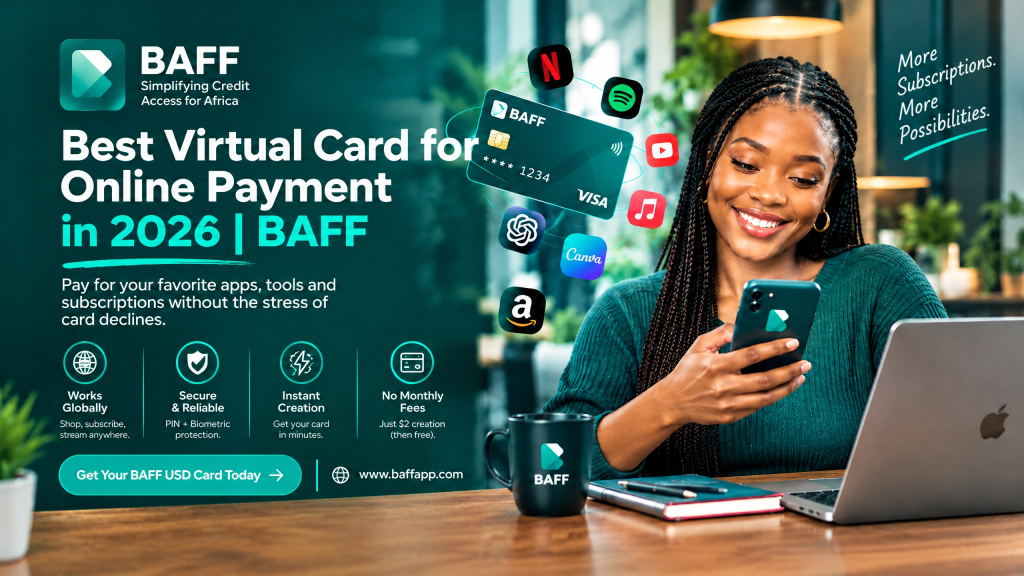
What is the best virtual card for online payment in 2026?
The best virtual card for online payment in 2026 is the one that fits the way you actually spend. It should be easy to create, simple to fund, accepted by the platforms you use, transparent about fees, and convenient to manage from your phone.
At BAFF, we built our USD Virtual Card for Nigerians who want a simpler way to make eligible international online payments. Whether you are paying for Netflix, buying from an international store, running Facebook Ads, subscribing to ChatGPT, or enrolling in an online course, BAFF gives you a digital card you can create and manage from the BAFF app.
Our current USD Virtual Card page lists Netflix, Spotify, Amazon, Shein, Facebook and Meta Ads, Google Ads, ChatGPT, Canva, Apple Music, Google Play, and online courses among the card’s use cases.
Create your BAFF USD Virtual Card and make your next online payment with more convenience.
A clear note from BAFF: Creating your USD virtual card is currently free. A one-time $2 usage fee applies when you activate the card for spending. Wallet funding charges, foreign-exchange rates, merchant charges, limits, and other terms may apply. Please check the final details shown in the app before confirming.
Why Nigerians need a virtual card for online payments
We hear the same frustration from many Nigerians: there is money in the account, but an international payment still fails.
You may be trying to renew a streaming subscription, pay for digital advertising, purchase software, buy from an international website, or pay for an online course. Then your local card shows “Transaction declined.”
The problem may not be your balance. Some merchants use international payment processors, bill in dollars, block certain card types, or apply their own country and fraud checks.
A virtual dollar card gives you another way to attempt eligible online payments. It does not guarantee that every merchant will approve every transaction, but it can make international payments easier to manage when your regular card is not accepted.
What is a virtual card?
A virtual card is a digital payment card that you use online. It does not arrive as a physical plastic card. Instead, its details are displayed inside an app and can include a card number, expiry date, and security code.
A USD virtual card is designed for eligible online payments billed in United States dollars or other supported international currencies. You can use it for one-time purchases, subscriptions, digital services, advertising, software, online courses, and other approved transactions.
Because the card is digital, you can create and manage it from your smartphone. You do not need to wait for a physical card before beginning the setup process.
Why BAFF is a strong virtual-card option in 2026
Create and manage your card from your phone
We designed BAFF to make everyday finance simpler. You can create your USD virtual card in the BAFF app, fund it from your BAFF wallet, and review the card information you need for eligible online payments.
Start with Naira
You can fund your BAFF wallet with Naira from your Nigerian bank account. After your wallet is funded, move the amount you need to your USD virtual card. The applicable Naira-to-USD rate is shown in the app before you confirm the conversion.
Pay for services Nigerians already use
A virtual card is only useful when it works for your real needs. That is why our USD Virtual Card is built around common Nigerian use cases, including international subscriptions, online shopping, advertising, software, and digital education.
Set up quickly after verification
Our current product information says that eligible users can create and start using the card within minutes after completing verification and funding the wallet. Actual timing can depend on account verification, funding, system availability, and merchant requirements.
Keep international spending in one place
When you use BAFF for eligible online payments, you can keep the funds for those payments in your BAFF wallet and USD card. This can make your subscription, advertising, and software spending easier to monitor.
Use a secure digital payment option
BAFF protects card transactions with security features such as PIN and biometric authentication, together with encrypted card details. You should still protect your password, PIN, one-time password, and card information at all times.
What can you pay for with the BAFF USD Virtual Card?
Here are some of the ways Nigerians use our virtual dollar card. Merchant acceptance can vary, so always check the current merchant policy and keep enough balance for the full charge.
| Online payment type | Examples listed by BAFF | Useful for |
| Streaming and entertainment | Netflix, Spotify, Apple Music | Monthly entertainment subscriptions |
| Software and creative tools | Canva, Adobe, and similar services | Design, content creation, and business work |
| Artificial intelligence | ChatGPT Plus and similar tools | Productivity, research, and digital work |
| Advertising | Facebook or Meta Ads, Instagram Ads, Google Ads | Marketing campaigns and customer acquisition |
| International shopping | Amazon, Shein, and eligible merchants | Products, supplies, and personal shopping |
| Online learning | Coursera, Udemy, and other course platforms | Skills development and professional training |
| Mobile and digital services | Google Play and other eligible services | Apps, digital products, and subscriptions |
We cannot promise that every transaction will be approved. Merchants can change their payment processors, card policies, billing requirements, or fraud controls. Check the BAFF USD Virtual Card page for the current product information.
How to get the best virtual card for online payment in Nigeria
If you want to start using BAFF, follow these steps.
Step 1: Download the official BAFF app
Visit the BAFF homepage and download the app using the official app-store link for your smartphone.
•Download BAFF from the Apple App Store
•Download BAFF from Google Play
Please check the app publisher before installing. Do not download financial apps from unknown websites or share your BAFF login with another person.
Step 2: Create and verify your BAFF account
Register with your active phone number and complete the identity-verification process in the app. BAFF’s published guide says users need a verified account, a valid phone number, government identification, and Naira in the BAFF wallet before creating and funding the USD card.
Some services may require a higher account-verification level. If the app asks you to provide more information, complete the requested steps before creating your card.
Step 3: Fund your BAFF wallet with Naira
Transfer Naira from your Nigerian bank account to your BAFF wallet using the funding method displayed in the app. Confirm the money has arrived before moving to the card-funding step.
Before making your online payment, budget for the purchase price, tax, exchange-rate movement, and any temporary authorisation. A subscription merchant may place a small verification hold on the card.
Step 4: Open the Cards section
Open the Cards section in the BAFF app and choose Create USD Virtual Card. The wording or location of this option may change as we update the app.
If you do not see the option, update your app, confirm that your account is verified, and contact BAFF through an official support channel.
Step 5: Review the fee before activating spending
Creating the card is currently free. BAFF’s current product information states that a one-time $2 usage fee applies when the card is activated for spending.
Please review the in-app disclosure before you confirm. The complete cost can also include wallet funding charges, the exchange rate, merchant charges, subscription taxes, or other applicable fees.
Step 6: Fund the USD virtual card
Move the amount you need from your BAFF wallet to the USD card. If you are paying for a recurring subscription, keep a small balance buffer so that the renewal does not fail because of a tax, price change, exchange-rate movement, or temporary hold.
Step 7: Pay the merchant online
Use the card details shown in the BAFF app at checkout. Enter the card number, expiry date, security code, name, and billing information carefully.
For your security, only enter your card details on the official merchant website or app. Do not send your full card information through social media, email, or public comments.
How to choose the best virtual card for online payments
Before choosing any provider in 2026, look at the complete payment experience rather than only the word “free.”
| What to compare | Questions to ask |
| Card creation | Can I create the card quickly from my phone? |
| Funding | Can I fund it with Naira or another convenient method? |
| Exchange rate | Will I see the Naira-to-USD rate before confirming? |
| Merchant acceptance | Does it work with the website or service I need? |
| Recurring payments | Can it support subscriptions and automatic renewals? |
| Fees | Are activation, funding, conversion, or merchant charges disclosed? |
| Limits | Are there transaction, daily, monthly, or merchant-category limits? |
| Security | Are card details protected and are alerts or authentication available? |
| Support | Can I reach the provider if a payment fails? |
At BAFF, we believe you should see the important payment information before you commit. Always check the final terms in the app because fees, limits, supported merchants, and product availability can change.
How to avoid failed online payments
Keep enough money on the card
Make sure your USD balance covers the full cost, including tax, delivery, recurring charges, and possible authorisation holds.
Check the merchant’s payment rules
Some merchants do not accept prepaid or virtual cards. Others may restrict payments based on the card’s country, billing address, or account location.
Enter the correct billing information
Use the name and billing details requested by the merchant. Incorrect information can cause a decline even when the card is funded.
Avoid VPN-related location mismatches
A VPN can make your location appear inconsistent with your billing information. Use a stable connection when adding the card or completing a payment.
Fund recurring payments early
If the card is linked to Netflix, Spotify, software, or another subscription, add enough money before the renewal date. Do not wait for the merchant’s first failed attempt.
Review price changes
Subscription prices, taxes, and currencies can change. Check the next renewal amount before it is charged.
What to do if your BAFF card payment is declined
Start by checking your USD balance and confirming that the card is active. Then check the card details, expiry date, billing information, and merchant policy.
If the payment is for a subscription, confirm that the amount has not changed. If you are using a VPN, turn it off and try again. You can also use the merchant’s official retry option.
A decline may be caused by a merchant restriction, a temporary authorisation, a changed billing amount, or a payment-processor rule. Adding more money may not fix every decline.
If the problem continues, contact BAFF through the official app or the support details on our official website. Never share your password, PIN, one-time password, or full card details with anyone claiming to be support.
How much does the BAFF USD Virtual Card cost?
Here is the current cost information in a simple format:
| Cost item | Current BAFF information |
| Card creation | Free under the current offer. |
| Card activation or usage | One-time $2 fee when spending is activated. |
| Wallet funding | Bank-transfer or other funding charges may apply. |
| Naira-to-USD conversion | Rate is shown in the app before confirmation. |
| Online purchase or subscription | Merchant sets the price and may add tax. |
| Temporary authorisation | Merchant may place a verification hold. |
| Refunds | Merchant refund and cancellation terms apply. |
We recommend checking the final in-app amount before creating, activating, funding, or using the card. Product offers and charges may change.
Is the BAFF USD Virtual Card safe?
We use security measures such as PIN and biometric authentication and encrypted card details to help protect transactions. However, safe payments also depend on how you use the card.
Use the official BAFF app, keep your phone updated, and choose strong account credentials. Avoid entering card details on suspicious links or websites. No legitimate support representative should ask you for your password or one-time password.
Monitor your transactions and report unfamiliar activity promptly. You can also read PayPal’s virtual-card security guide for general information about protecting digital card payments.
For more information about recurring payments, see Visa’s recurring-billing resource.
BAFF USD Virtual Card versus a regular Naira card
Your regular bank card may work for local payments and some international transactions. The BAFF USD Virtual Card gives you another option for eligible online payments, especially when you want to manage your international spending separately.
| Feature | BAFF USD Virtual Card | Regular Naira card |
| Management | Managed in the BAFF app | Managed through your bank or banking app |
| Funding | Fund BAFF wallet with Naira and move funds to the card | Usually debits the linked bank account directly |
| International payments | Designed for eligible international online payments | Acceptance varies by bank, merchant, and card rules |
| Spending control | Helps separate funds for subscriptions and online payments | Charges appear against the linked account |
| Recurring payments | May work where the merchant accepts the card | Depends on bank and merchant support |
| Main checks | Activation fee, funding, FX rate, balance, acceptance | Bank limits, FX rate, international usage, acceptance |
No payment card works everywhere. The best option is the one that fits your specific merchant, budget, and payment needs.
Frequently asked questions
What is the best virtual card for online payment in 2026?
The best virtual card is convenient to create, easy to fund, transparent about fees, secure, and accepted by the merchants you use. For eligible Nigerians, the BAFF USD Virtual Card is designed for international subscriptions, software, ads, online shopping, and online courses.
What is the best virtual dollar card in Nigeria?
The best virtual dollar card depends on your use case, merchant, budget, and preferred funding method. BAFF is a practical option for Nigerians who want to fund a USD virtual card with Naira and manage it from a smartphone.
Can I use the BAFF USD Virtual Card for online shopping?
Yes. BAFF lists Amazon, Shein, and eligible international shopping among its use cases. Merchant acceptance, delivery charges, taxes, and payment rules still apply.
Can I use the BAFF card for Netflix and Spotify?
Yes. BAFF lists Netflix and Spotify as supported use cases. Keep enough USD balance for the renewal and check the subscription price before the next charge.
Can I use BAFF for Facebook Ads and Google Ads?
BAFF promotes the USD Virtual Card for Facebook, Instagram, and Google advertising payments. Approval depends on the advertising platform, your account status, card balance, and billing details.
Is the BAFF USD Virtual Card free?
Creating the card is currently free. A one-time $2 usage fee applies when the card is activated for spending. Wallet funding, currency conversion, merchant, subscription, or other charges may also apply.
Can I fund my BAFF USD Virtual Card with Naira?
Yes. Transfer Naira to your BAFF wallet from your bank account, then move the amount you need to the USD virtual card. The exchange rate is shown in the app before you confirm the conversion.
How long does it take to create the card?
BAFF says eligible users can create and start using the card within minutes after verification and funding. The actual time can depend on account checks, funding, technical availability, and merchant requirements.
Why was my online payment declined?
Common causes include insufficient USD balance, incorrect billing details, an expired card, merchant restrictions, a VPN-related location mismatch, a changed payment amount, or a temporary authorisation. Check these items before contacting support.
Is a virtual card safe for online payments?
A virtual card can be a convenient way to make online payments, but you must protect your account and card details. Use official websites, enable available security controls, monitor your transactions, and report unfamiliar charges quickly.
Our final word from BAFF
We created BAFF to help make everyday finance simpler, including the international payments that are now part of everyday Nigerian life.
If you are a student paying for an online course, a freelancer using international software, a creator subscribing to Canva, a business owner running ads, or simply someone who wants to renew Netflix or Spotify, the BAFF USD Virtual Card gives you a convenient payment option to consider.
You can create the card in the BAFF app, fund it with Naira, and use it for eligible online payments from Nigeria. Just remember to review the fee, exchange rate, balance, merchant acceptance, and subscription terms before confirming a payment.
Create your BAFF USD Virtual Card today.
You Might Also Like This:
Virtual card For Online Subscription
How to Get a Free Virtual Dollar Card on Your Smartphone | BAFF