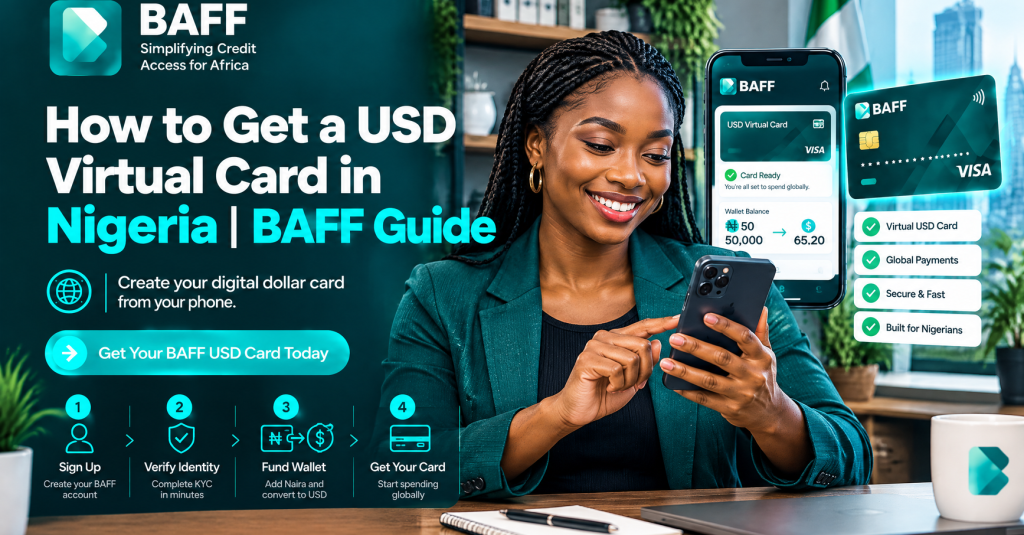
What is a USD virtual card?
A USD virtual card is a digital card for online payments in US dollars. You enter its details at an eligible checkout; it is not a plastic card. It can help when an international merchant does not accept your usual naira payment method.
With BAFF, the USD Virtual Card is for eligible international online payments from Nigeria. Common use cases listed by BAFF include Netflix, Spotify, Amazon, Shein, Facebook or Meta Ads, Google Ads, ChatGPT, Canva, Apple Music, Google Play, Adobe, and online courses. A merchant can still decline a transaction, so treat these as examples rather than a promise that every payment will succeed.
Netflix says virtual cards are accepted only in select markets, so check current payment rules before trying a charge. Google Ads says available methods depend on country and account settings.
How to get a USD virtual card in Nigeria with BAFF
The process has four stages: get the app, verify your account, fund your BAFF wallet with naira, and create and fund the USD card. Screens, requirements, fees, and timing can change, so use the app’s current information.
1. Download the BAFF app and start your account
Download BAFF from the BAFF download page. You can also use the official BAFF app listing on the App Store or Google Play.
Open the app and follow the sign-up instructions using an active phone number. Accurate account details help with verification and transaction information.
2. Verify your account
BAFF may ask you to verify your account with your phone and identification details. Follow the prompts, submit matching information, and do not send identification through unofficial links.
Eligibility and access can vary under BAFF’s current requirements. Review BAFF’s Privacy Policy and Terms to understand how your account and information are handled.
3. Fund your BAFF wallet with naira
Add naira to your BAFF wallet before creating or using the card. Review the amount, displayed charge, and total before confirming.
BAFF displays wallet funding charges and applicable foreign-exchange rates in-app. The naira amount depends on the current rate and charge, so review the confirmation screen rather than an old estimate.
4. Create the USD Virtual Card in Cards
Open Cards and choose the option to create a USD Virtual Card. BAFF currently lists creation as free, while a one-time $2 usage fee applies when spending is activated. Check the in-app disclosure before activation.
Move funds from your BAFF wallet to the card as directed. If asked to activate spending, read the fee and confirmation details first, then check the card balance. After activation, use the card details only on the intended merchant or service. BAFF says transactions use PIN or biometric security and encrypted card details. Protect your phone, PIN, and one-time passwords.
How to use the card for an international online payment
Start on the merchant’s official website or app. Check card acceptance and your account’s billing-country, currency, and address requirements. Meta’s official help page lists options for Meta ads, but availability can depend on the ad account.
At checkout, enter the BAFF card details as requested. If a billing address is required, use the information currently required; do not invent details. Confirm price and renewal terms before submitting.
If a payment fails, check your card balance and status, the merchant’s payment methods, and any in-app notification. Causes can include a merchant restriction, insufficient balance, changed platform rule, limit, or temporary problem. BAFF cannot guarantee acceptance.
Common mistakes to avoid
Funding the wrong place: Wallet funding is not necessarily card funding. Follow the Cards flow and confirm the card balance.
Ignoring the activation fee: Creation and spending activation are separate. Check the displayed one-time $2 usage fee before confirming.
Assuming every “international” checkout will work: A merchant may block virtual cards, require a locally issued card, reject recurring payments, or apply country rules. Check its official help page first.
Using an old exchange-rate estimate: BAFF shows current charges and FX rates in-app. Keep your PIN and biometric access private.
Fees, limits, and important limitations
BAFF currently lists USD Virtual Card creation as free and a one-time $2 usage fee when spending is activated. Wallet funding charges and FX rates are shown in-app. Other fees, limits, eligibility rules, timing, and features can change, so review live information before funding or activation. Merchant acceptance is not guaranteed: a platform may change its policy, decline a card, limit recurring payments, or request verification.
Visit the BAFF home page, USD Virtual Card page, or related USD card guide. You can also browse BAFF Books or BAFF loans; each product has separate terms, eligibility, and pricing.
Frequently asked questions
Can I get a USD virtual card in Nigeria without a physical card?
Yes. A virtual card is digital, so no physical card is needed. Create an account, complete the requested verification, fund your naira wallet, and follow the Cards process. Eligibility remains subject to current requirements.
How do I fund a BAFF USD Virtual Card?
Fund your BAFF wallet with naira, then open Cards and move funds to the USD Virtual Card as directed. Check the displayed charge, rate, and resulting balance before confirming.
Is creating the BAFF USD Virtual Card free?
BAFF currently lists creation as free. A one-time $2 usage fee applies when spending is activated. Wallet funding charges and FX rates appear in-app, and pricing can change.
Can I use the card for Netflix, Spotify, or ChatGPT?
BAFF lists Netflix, Spotify, and ChatGPT among common use cases, along with Amazon, Canva, Adobe, and online courses. The merchant’s rules, your balance, and eligibility determine acceptance.
Why was my international payment declined?
Check the card balance and status, accepted payment methods, account-country settings, and BAFF notifications. A decline may result from a merchant rule, limit, fee, balance issue, or temporary problem.
Can I use the card for recurring subscriptions?
Some eligible merchants may support recurring payments, but acceptance is not guaranteed. Check billing terms and keep enough balance for renewals; requirements can change.
Where can I get help with BAFF requirements or fees?
Start with the BAFF app and official Terms for current charges, rates, and account requirements. For privacy questions, review the Privacy Policy.