What you need before funding
BAFF’s USD Virtual Card is for eligible international online payments from Nigeria. BAFF lists Netflix, Spotify, Amazon, Shein, Facebook or Meta Ads, Google Ads, ChatGPT, Canva, Apple Music, Google Play, Adobe, and online courses as common use cases. These examples are not a promise of acceptance; the merchant’s rules apply.
You will need the BAFF app, a verified account, and Naira available to fund your wallet. Verification may request your phone number or identification. If you are new to BAFF, download the app, or use the App Store or Google Play.
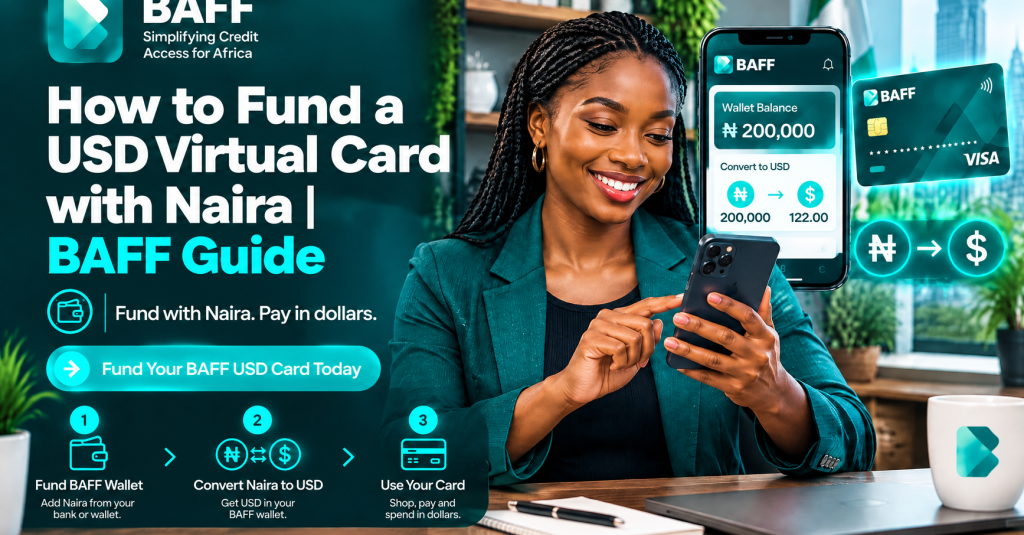
How to fund a USD virtual card with Naira on BAFF
1. Download BAFF and verify your account
Install BAFF and follow the account-opening prompts. Complete the requested phone or identity verification before planning a time-sensitive payment. Eligibility and verification requirements can change, so approval should never be assumed.
See the BAFF USD Virtual Card page or our guide on how to get a USD virtual card in Nigeria.
2. Fund your BAFF wallet with Naira
Choose wallet funding in the app and enter the Naira amount to add. Review the funding charge, exchange information, and final amount shown in-app. BAFF displays applicable charges and FX rates there, so rely on the live quote—not an old estimate.
Fund what you need, with a sensible buffer where appropriate. For a subscription, check whether the merchant will charge monthly.
3. Open the Cards section
After your wallet has a Naira balance, open Cards in BAFF and select the option to create a USD Virtual Card. Card creation is currently free. Check current in-app terms because pricing and availability may change.
When spending is activated, BAFF currently applies a one-time $2 usage fee. This is separate from the merchant’s charge. The amount shown in the app at the time of activation should be treated as the current source of truth.
4. Move funds from the wallet to the USD card
Choose the transfer or funding action for your USD Virtual Card. Enter the amount to move from your Naira wallet, then review the conversion and displayed charge. Confirm after checking the USD balance.
This is the practical answer to “how do I load a virtual card from Nigeria?” You add Naira to BAFF first, then allocate it to the card. Keep the transaction record in the app so you can compare the card balance with your intended purchase.
5. Pay the merchant with your card details
Use the card details at the eligible merchant’s checkout. Enter the card number, expiry date, security code, and billing details as requested. Keep your BAFF card information private. BAFF uses PIN or biometric security and encrypts card details, but device security still matters.
How much Naira should you fund?
Start with the merchant’s current price, then account for BAFF’s live conversion and any charges shown in-app. Avoid using a fixed exchange-rate formula from a previous day.
A useful routine is to confirm the billing currency, review BAFF’s current quote, and add only a modest buffer if a temporary authorization or price change is possible.
Platform billing rules can add another layer. Meta says permissions and account setup affect adding a payment method . Google Ads says payment methods can depend on country, currency, and payment settings . Confirm the platform’s requirements before funding an advertising payment.
What to check if payment fails
A declined payment does not automatically mean the card was funded incorrectly. Check these points in order:
1.Confirm that the card balance covers the purchase and applicable charges.
2.Check that spending is activated and that the card details were entered correctly.
3.Review the merchant’s rules for recurring payments, billing address, country, and virtual cards.
4.Look for a pending authorization before trying repeatedly.
5.Check the BAFF app for the latest status and contact support through the available channel if needed.
Do not keep retrying when the reason is unclear. Multiple attempts can create pending authorizations. Netflix says virtual cards are accepted in select markets . Spotify says payment methods vary by country or region .
Fees and limitations to understand
BAFF currently lists USD Virtual Card creation as free and applies a one-time $2 usage fee when spending is activated. Wallet funding charges and FX rates are shown in-app. The Naira amount you need therefore depends on the live quote, the merchant’s charge, and applicable BAFF fees.
Limits, eligibility, timing, fees, and merchant acceptance can change. A funded card does not guarantee approval by Netflix, Spotify, an advertising platform, an app store, or any other merchant. Some merchants may reject virtual cards, recurring payments, cards issued in another country, or billing details that do not match their records. Review BAFF’s terms and privacy policy, and never share your PIN or card details.
For other BAFF products, start at the BAFF home page. BAFF Loans and BAFF Books serve different needs and are not substitutes for a USD Virtual Card.
Frequently asked questions
Can I fund the BAFF USD Virtual Card directly with Naira?
The BAFF flow is to fund your BAFF wallet with Naira first, then move funds from the wallet to the USD Virtual Card in Cards. Review the live conversion and charges before confirming.
Is creating the card free?
BAFF currently lists card creation as free. A one-time $2 usage fee applies when spending is activated. Check the current in-app price before activation.
How long does funding take?
Timing can vary based on the funding method, verification status, processing, and other conditions. Do not assume instant funding for a time-sensitive payment. Confirm both wallet and card balances before paying.
Can I use the card for Netflix or Spotify?
They are common BAFF use cases, but acceptance is not guaranteed. Netflix accepts virtual cards in select markets, while Spotify says available payment methods vary by country or region . Follow each merchant’s current checkout rules.
Can I use it for Meta Ads or Google Ads?
They are common BAFF use cases. Meta and Google Ads may require particular permissions, country, currency, or account settings . Confirm those requirements inside the relevant platform before funding.
Why is my Naira estimate different from the app amount?
Use BAFF’s in-app FX rate and displayed charges as the current source of truth. Exchange rates move, and the final debit can depend on the merchant’s currency and billing process.
Is a funded card guaranteed to work everywhere?
No. Merchant acceptance, card rules, limits, eligibility, fees, and timing can change. Funding gives the card a balance; it does not guarantee that a particular merchant will approve a transaction.
Fund your card with BAFF
Ready to move Naira into a card for eligible international online payments? Get started with BAFF, fund your wallet, open Cards, create your USD Virtual Card, and transfer only the amount you need. Check the live quote and fees before confirming.