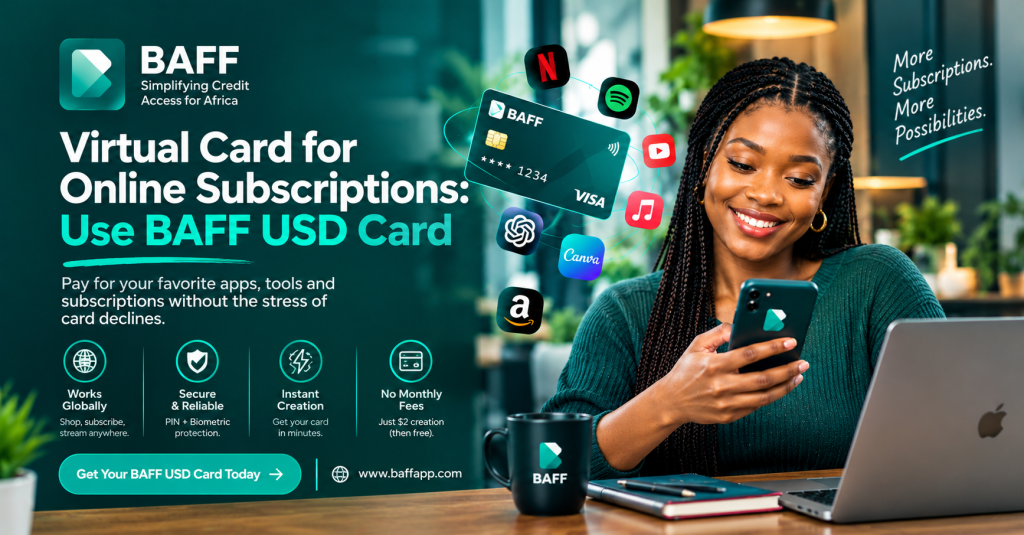
Looking for a virtual card for online subscriptions?
We understand how frustrating it can be to have money in your account and still see “Transaction declined” when you are trying to renew Netflix, pay for Canva, subscribe to ChatGPT, or launch an online ad campaign.
That is exactly why we created the BAFF USD Virtual Card: to give Nigerians a simple way to make eligible international online payments from their phones.
With BAFF, you can create a USD virtual card, fund it with Naira through your BAFF wallet, and use it for supported subscriptions, software, online courses, advertising platforms, and international shopping. BAFF currently lists platforms such as Netflix, Spotify, ChatGPT, Canva, Apple Music, Google Play, and online courses among its use cases.
Get your BAFF USD Virtual Card and start managing your international payments from one convenient app.
A quick note about fees: BAFF currently states that creating the USD virtual card is free. A one-time $2 usage fee applies when the card is activated for spending. Funding charges, foreign-exchange rates, merchant charges, and other terms may apply. We always recommend checking the final amount shown in the BAFF app before you confirm.
What is a virtual card for online subscriptions?
A virtual card is a digital payment card that lives inside an app. You do not need to wait for a physical card to arrive. When you create one, you receive digital card details such as the card number, expiry date, and security code, which you can use on supported websites and apps.
A virtual dollar card is designed for eligible online payments billed in United States dollars or other supported international currencies. This can be helpful when your usual Naira card does not work on a particular international platform.
Online subscriptions are recurring payments. Instead of paying once, the merchant charges your card again each month or year. Examples include streaming services, music apps, software, advertising platforms, cloud tools, artificial-intelligence products, and online learning platforms.
The important thing to remember is that your card must remain active and funded when the renewal date arrives. If the balance is too low or the merchant does not accept virtual cards, the payment may fail.
Why Nigerians use BAFF for online subscriptions
Pay for eligible international services from your phone
You do not need to visit a bank branch or search for a complicated payment process every time you want to pay for an international service. With BAFF, you can create and manage your USD virtual card directly in the app.
Use an alternative when your local card is declined
A local Naira card can work perfectly for everyday payments and still be declined by some international merchants. The BAFF USD Virtual Card gives you another payment option for eligible online transactions.
Fund the card with Naira
You can start with the money you already use every day. Fund your BAFF wallet with Naira, then move the amount you need to your USD virtual card. The applicable exchange rate is shown in the app before you confirm the conversion.
Keep your subscription spending organised
Using a dedicated card for recurring digital payments can make your subscriptions easier to track. You can see what you are paying for, when the next renewal is due, and how much balance you need to keep available.
Support work, business, learning, and entertainment
Your subscriptions may be more than entertainment. You may need Canva for design, ChatGPT for work, Adobe for creative projects, an online course for learning, or Facebook and Google Ads for your business. BAFF is built for the way Nigerians use digital services today.
What subscriptions can you pay for with BAFF?
BAFF lists the following platforms and categories as common use cases for the USD Virtual Card. Payment approval always depends on the merchant’s current rules, your available balance, billing information, and the payment processor.
| Subscription or category | Examples listed by BAFF | What you should remember |
| Streaming | Netflix, Spotify, Apple Music | Keep enough USD balance for the renewal date. |
| Artificial intelligence | ChatGPT Plus and similar tools | Confirm that the platform accepts the card and billing country. |
| Design and creative tools | Canva Pro, Adobe, and similar software | Check whether the service charges automatically each month. |
| Advertising | Facebook or Meta Ads, Instagram Ads, Google Ads | Keep a balance buffer for campaign charges and account holds. |
| Online shopping | Amazon, Shein, and other eligible merchants | Taxes, delivery charges, and temporary authorisations may apply. |
| Online education | Coursera, Udemy, and similar platforms | Check the platform’s currency and virtual-card policy. |
| Mobile and digital services | Google Play and other eligible services | Acceptance may differ by account, country, and merchant. |
We do not want to promise that every card will work on every website. Merchants can change their payment processors, fraud checks, country restrictions, and card-acceptance policies. Please check the current BAFF USD Virtual Card information before funding your card for a new subscription.
How to get a virtual card for online subscriptions with BAFF
Getting started is simple. Here is what to do.
1. Download the BAFF app
Visit the official BAFF website and download the app using the official store link for your phone.
•Download BAFF from the Apple App Store
•Download BAFF from Google Play
Please check the app publisher before installing. For your protection, do not download BAFF from unknown websites or share your login details with anyone.
2. Create and verify your account
Register with your active phone number and complete the verification steps in the app. You will need the information requested by BAFF, including valid identification where applicable.
Some BAFF services require a higher level of account verification. If the app asks you to complete additional steps, follow the instructions in your profile before trying to create your card.
3. Fund your BAFF wallet with Naira
Transfer Naira from your Nigerian bank account to your BAFF wallet using the funding method shown in the app. Before moving on, confirm that the money has arrived and check whether your bank has applied a transfer charge.
As you plan your payment, consider the subscription price, taxes, foreign-exchange conversion, and any temporary authorisation the merchant may place on your card.
4. Open the Cards section
Once your account is verified and your wallet is funded, open the Cards section in the BAFF app and select Create USD Virtual Card.
The app experience may change as we improve BAFF. If you cannot find the card option, update your app, check your verification status, or contact us through an official support channel.
5. Review the fee and activate spending
Creating your BAFF USD Virtual Card is currently free. A one-time $2 usage fee applies when the card is activated for spending.
We want this to be clear: free card creation does not mean that every future card activity is free. Before you confirm, review the activation fee, funding cost, exchange rate, subscription price, and any merchant charge displayed in the app or on the checkout page.
6. Fund your USD card
Move the amount you need from your BAFF wallet to your USD virtual card. If you are paying for a recurring subscription, keep a small buffer for exchange-rate changes, taxes, price increases, or temporary authorisation holds.
7. Add your card to the subscription service
Open the website or app for the service you want to use. Add a payment card and enter your BAFF card number, expiry date, security code, and billing details exactly as requested.
Some merchants require your billing information to match your account details. We also recommend avoiding a VPN that makes your location appear inconsistent with your billing country.
8. Check the subscription terms before confirming
Before you click the final payment button, look at the billing frequency, renewal date, trial period, taxes, currency, and cancellation policy.
Many free trials automatically become paid subscriptions. If you do not want the renewal, cancel before the trial ends. Save the renewal date in your calendar so that you are not surprised by a future charge.
For a complete setup guide, read How to Get a USD Virtual Card in Nigeria.
How to keep your subscription payment active
Keep enough money on the card
Your subscription can fail if the card balance is lower than the renewal amount. Keep enough to cover the subscription, taxes, currency conversion, and a small buffer for temporary holds.
Fund the card before the renewal date
Do not wait until after the merchant has tried to charge you. Fund the card ahead of time, especially if the service is important for your work, business, studies, or daily entertainment.
Check for price changes
Subscription prices can change. A merchant may also add tax or change the billing currency. Check the renewal amount before the payment date.
Keep your card details accurate
When adding the card to a merchant, carefully enter the card number, expiry date, security code, name, and billing information. A small mistake can cause a payment to fail even when your card is funded.
Confirm that the merchant accepts virtual cards
Some platforms accept virtual Visa cards, while others block prepaid or virtual cards. Acceptance can also depend on your account country, the merchant’s fraud rules, and its payment processor.
Keep your account and app secure
Use a strong BAFF password, enable biometric authentication where available, and keep your phone updated. Never share your password, PIN, one-time password, or complete card details with anyone claiming to be BAFF support.
What to do if your subscription payment is declined
A declined transaction can be frustrating, but there are a few things you can check first.
1.Confirm that your USD card has enough balance for the subscription, taxes, and any temporary authorisation.
2.Check that the card is active and has not expired.
3.Re-enter your card and billing details carefully.
4.Check whether the merchant accepts virtual or prepaid cards.
5.Turn off a VPN or location-changing service that may conflict with your billing information.
6.Check whether the subscription price has changed.
7.Retry the payment through the merchant’s official payment page.
8.Contact BAFF through the official app if the problem continues.
Adding more money will not solve every declined transaction. The merchant may have blocked virtual cards, changed its payment processor, or flagged the payment for verification.
How much does the BAFF USD Virtual Card cost?
Here is the current cost breakdown in simple terms:
| Cost item | Current BAFF information |
| Card creation | Free under the current offer. |
| Card activation or usage | A one-time $2 fee applies when spending is activated. |
| Wallet funding | Bank-transfer or other funding charges may apply. |
| Naira-to-USD conversion | The exchange rate is shown in the app before confirmation. |
| Subscription charge | The merchant sets the price and may add tax. |
| Temporary authorisation | A merchant may place a temporary verification hold. |
| Refund or cancellation | The merchant’s refund and cancellation rules apply. |
Pricing, offers, limits, and supported services may change. Please use the final in-app information as the source of truth before creating, activating, funding, or using the card.
How to manage your subscriptions with BAFF
We recommend making a simple list of every subscription linked to your card. Record the merchant, amount, billing interval, renewal date, and cancellation method.
Check your BAFF transactions regularly. If you no longer use a service, cancel it through the merchant’s account settings. Simply removing your card may not cancel an active subscription.
If you use subscriptions for your business, save your receipts and record each expense against the correct project or client. If the subscriptions are personal, include them in your monthly budget and only keep the amount you need on the card.
Is BAFF safe for online subscriptions?
We protect BAFF transactions with security features such as PIN and biometric authentication, together with encrypted card details. You also have an important role to play in keeping your account safe.
Use the official BAFF app and trusted merchant websites. Be careful with messages claiming that your subscription has expired and asking you to enter card details through an unfamiliar link. BAFF will not ask you to share your password or one-time password with another person.
If you notice a transaction you do not recognise, contact the merchant and BAFF promptly through official channels. Keep your transaction reference, but never post your complete card details publicly.
For additional background, you can read PayPal’s guide to virtual card numbers and Visa’s recurring-billing information.
BAFF USD Virtual Card versus a regular Naira card
Your regular Naira card may be perfect for local payments and may also work with some international merchants. The BAFF USD Virtual Card is designed to give you another option for eligible dollar-denominated online payments.
| Consideration | BAFF USD Virtual Card | Regular Naira debit card |
| Where you manage it | Inside the BAFF app | Through your bank or banking app |
| How you fund it | Fund your BAFF wallet with Naira and move money to the card | Money is usually debited from the linked bank account |
| International subscriptions | Designed for eligible international online payments | Acceptance varies by bank, merchant, and card rules |
| Spending visibility | Lets you separate subscription funds from other money | Charges appear against the linked account |
| Recurring payments | May work when the merchant accepts the card | May work when the bank and merchant support the payment |
| What to check | Activation fee, funding, FX rate, balance, and acceptance | Bank limits, FX rate, international usage, and acceptance |
Neither card guarantees approval on every website. Choose the option that matches your payment needs and always review the complete cost.
Frequently asked questions
What is the best virtual card for online subscriptions?
The best virtual card is one that the subscription merchant accepts, supports recurring billing, has transparent fees, can be funded reliably, and is easy to manage. For eligible Nigerians, the BAFF USD Virtual Card is an option for services such as Netflix, Spotify, ChatGPT, Canva, Apple Music, and online courses.
Can I use the BAFF USD Virtual Card for Netflix?
Yes, BAFF lists Netflix as a supported use case. Keep enough USD balance for the renewal and remember that merchant acceptance and subscription terms can change.
Can I use the BAFF USD Virtual Card for Spotify?
Yes, BAFF lists Spotify among the platforms Nigerians use with the USD Virtual Card. Fund the card before your renewal date and check the current subscription price.
Can I use a virtual card for ChatGPT or Canva?
BAFF lists ChatGPT and Canva among its supported use cases. Your payment still depends on the platform’s current acceptance rules, your balance, billing information, and account location.
Is the BAFF USD Virtual Card free?
Creating the card is currently free. BAFF also states that a one-time $2 usage fee applies when the card is activated for spending. Funding, conversion, subscription, and merchant charges may also apply.
Can I fund the BAFF USD Virtual Card with Naira?
Yes. Transfer Naira into your BAFF wallet, then move the amount you need to the USD virtual card. The exchange rate is shown in the app before you confirm the conversion.
Why did my recurring subscription payment fail?
The card may have insufficient balance, incorrect billing details, an expired card, a merchant restriction, a VPN-related location mismatch, or a changed subscription amount. Check each item before contacting official support.
Can I cancel a subscription by removing the virtual card?
Not necessarily. Cancel the subscription through the merchant’s account settings and look for a cancellation confirmation. Removing the card may not stop an active subscription.
How much money should I keep on the card?
Keep enough to cover the subscription, taxes, conversion, and a small buffer for authorisation holds or exchange-rate changes. Avoid keeping more money on the card than you need.
Are virtual cards safe for recurring payments?
They can be a convenient payment option when used responsibly. Protect your BAFF login and card details, monitor recurring charges, use official websites, and report unfamiliar payments quickly.
Why BAFF is a convenient choice for online subscriptions
We built BAFF to make everyday finance simpler. That includes the everyday digital services you rely on for entertainment, work, business, learning, and communication.
With the BAFF USD Virtual Card, you can manage your card from your phone, fund it with Naira, and make eligible international payments without depending entirely on one local card. You can also keep your subscription spending separate and check your balance before renewal dates.
No card can guarantee acceptance everywhere. However, if you need a convenient virtual card for online subscriptions in Nigeria, BAFF gives you a simple place to start.
Create your BAFF USD Virtual Card and take control of your online payments.