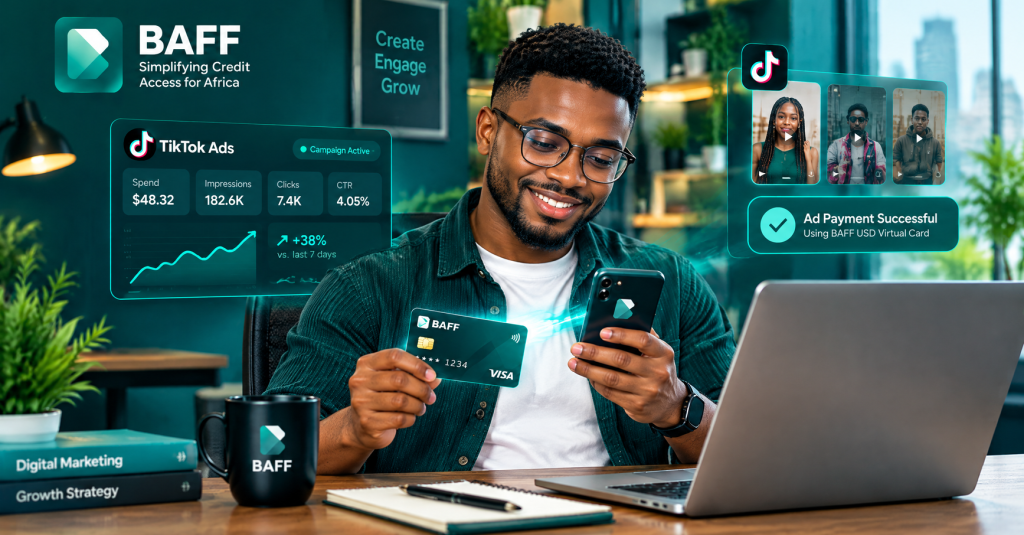
What is the best virtual card for TikTok Ads in Nigeria?
The best virtual card for TikTok Ads in Nigeria should be easy to fund, accepted by your TikTok advertising account, secure, transparent about charges, and convenient to manage when your campaign is running.
At BAFF, we built our USD Virtual Card for Nigerians who need a more convenient way to make eligible international online payments. That includes digital advertising, software, subscriptions, online shopping, and other services that businesses and creators use every day.
If you run TikTok Ads for your business, clients, products, or personal brand, the BAFF USD Virtual Card gives you another payment option to consider. You can fund your BAFF wallet with Naira, move the amount you need to your USD card, and add the card as a payment method in TikTok Ads Manager if it is available for your account and billing region.
Get your BAFF USD Virtual Card and take a simpler approach to managing eligible advertising payments.
Important: TikTok determines which payment methods are available based on your ad account’s billing country or region, currency, and billing option. BAFF does not guarantee that every TikTok Ads account or campaign will accept every card.
Why TikTok Ads payment matters to Nigerian businesses
TikTok has become an important place for businesses to reach customers. Nigerian fashion brands, food vendors, beauty businesses, real-estate marketers, digital creators, coaches, online stores, and service providers all use short-form video to attract attention.
A good campaign can bring new people to your page, website, product, or WhatsApp. But even a well-planned campaign can be interrupted when the payment method fails.
You may have a ready video, a clear audience, and a campaign budget, only to see an error when you try to add your card or pay an outstanding balance. The cause may be incorrect card details, insufficient funds, an expired card, a bank authorisation issue, a billing-country mismatch, or a payment method that TikTok does not support for your account.
That is where having a separate, properly funded USD virtual card can be useful. It gives you another payment option to test for eligible advertising payments while keeping your campaign budget easier to track.
What is a virtual card for TikTok Ads?
A virtual card is a digital payment card that you can use online. It does not need to be delivered physically. Instead, you access the card number, expiry date, and security code inside your financial app.
A USD virtual card is designed for eligible online payments in United States dollars or other supported international currencies. For advertising, it can be used as a payment method when the advertising platform accepts the card and the account meets the platform’s billing requirements.
With BAFF, the process begins with your smartphone. You create and verify your BAFF account, fund your BAFF wallet with Naira, create your USD Virtual Card, and add it to the supported payment area in TikTok Ads Manager.
Why use the BAFF USD Virtual Card for TikTok Ads?
Manage your advertising payment from your phone
We know that many Nigerian business owners and marketers manage campaigns from their phones. BAFF lets you create and manage your virtual dollar card in the BAFF app instead of waiting for a physical card.
Start with Naira
You can fund your BAFF wallet with Naira from your Nigerian bank account. Once your wallet is funded, move the amount you need to your USD virtual card. The applicable exchange rate is shown in the app before you confirm the conversion.
Separate campaign money from everyday spending
A dedicated card can make it easier to monitor money allocated to TikTok Ads. You can plan your campaign budget, fund the card with the amount you need, and review your spending more clearly.
Support different types of digital work
The same BAFF USD Virtual Card can be useful beyond TikTok Ads. BAFF also lists Facebook and Meta Ads, Google Ads, subscriptions, software, online shopping, and online courses among its use cases.
Get a quick digital payment option
BAFF’s current product information says eligible users can create and start using the USD virtual card within minutes after verification and funding. Actual timing depends on account checks, wallet funding, product availability, TikTok’s payment review, and your account settings.
Use a secure digital card
BAFF protects card transactions with features such as PIN and biometric authentication, together with encrypted card details. You should still protect your password, PIN, one-time password, and card information.
How to pay for TikTok Ads in Nigeria with BAFF
Step 1: Download the official BAFF app
Start by visiting the official BAFF website and downloading the app from the official store for your smartphone.
•Download BAFF from the Apple App Store
•Download BAFF from Google Play
Check the app publisher before installing. Do not download a financial app from an unknown website or share your BAFF login details with another person.
Step 2: Create and verify your BAFF account
Register with your active phone number and follow the verification instructions in the app. BAFF’s published USD-card guide says users need a verified account, a valid phone number, government identification, and Naira in the BAFF wallet before creating and funding the USD card.
Some BAFF services may require a higher account-verification level. Complete any additional steps requested in your profile.
Step 3: Fund your BAFF wallet with Naira
Transfer Naira from your Nigerian bank account to your BAFF wallet using the funding method shown in the app. Confirm that the money has arrived before moving it to the USD virtual card.
When budgeting for TikTok Ads, account for the actual campaign budget, currency conversion, the card’s applicable fee, and any outstanding invoice or authorisation amount shown by TikTok.
Step 4: Create your USD Virtual Card
Open the Cards section in the BAFF app and select Create USD Virtual Card. The location or wording of this option may change as we improve the app.
If you cannot find the option, update BAFF, confirm your account verification, and contact us through an official support channel.
Step 5: Review the card cost and activate spending
Creating the BAFF USD Virtual Card is currently free. A one-time $2 usage fee applies when you activate the card for spending.
Please review the final fee, funding cost, exchange rate, and other applicable details shown in the app before confirming. Card offers and charges may change.
Step 6: Fund the USD card
Move the amount you need from your BAFF wallet to your USD Virtual Card. For a live campaign, keep a reasonable buffer so your ad delivery is not interrupted by a small exchange-rate movement, tax, account balance requirement, or temporary authorisation.
Do not fund more than you can comfortably monitor. A clear budget makes it easier to measure whether a TikTok campaign is generating profitable results.
Step 7: Add the card in TikTok Ads Manager
TikTok’s official instructions say that self-serve advertisers can find payment methods in TikTok Ads Manager → Tools → Settings → Billing → Payment → Add Payment Method. Select the available card option and submit the requested payment details.
If your account is managed through TikTok Business Center, TikTok says you should use Finance → Payment management and follow the payment-method steps shown for your account.
Available payment methods vary by billing country or region, billing option, and currency. Check TikTok’s official supported payment methods before funding your campaign.
Step 8: Confirm your TikTok billing option
TikTok Ads may use Manual Payment, Automatic Payment, or Monthly Invoicing, depending on your account and eligibility. Your required balance and payment timing can differ by billing option.
Read the billing information inside your TikTok Ads Manager account. Make sure you understand when TikTok will charge your card and what balance is required for continued ad delivery.
Step 9: Start with a controlled campaign budget
Before scaling, test a small campaign with a clear objective. Confirm that the card is accepted, the campaign is delivering, and your billing information is correct.
Track your impressions, clicks, conversions, cost per result, and total spend. A working payment card is important, but profitable advertising depends on your creative, audience, offer, landing page, and measurement.
What to check before adding BAFF to TikTok Ads
| Check | Why it matters |
| TikTok billing country or region | Payment methods vary by account location. |
| Billing option | Manual, automatic, and invoiced accounts may have different requirements. |
| Card balance | The card must cover the required campaign or invoice amount. |
| Card status | The card should be active and not expired. |
| Billing details | Incorrect information can cause payment failure. |
| Account permissions | Business Center users may need the correct finance role. |
| Campaign budget | A clear budget helps you control spend and measure return. |
| Merchant acceptance | TikTok decides which payment methods are available for your account. |
How to avoid TikTok Ads payment failure
Keep enough balance available
TikTok’s official payment-failure guidance recommends confirming that your account has sufficient funds or available credit to cover the payment. Keep enough USD balance for your chosen billing option and campaign activity.
Check your card information
Confirm that the card details entered in TikTok Ads Manager or Business Center are correct. Make sure the card has not expired and that the billing information matches what the platform requests.
Check your account’s available payment methods
TikTok says the payment methods available to you depend on your billing country or region, billing option, and currency. Use the payment screen in your account as the final source of truth.
Disable VPNs and pop-up blockers when verifying payment
TikTok’s troubleshooting guidance notes that VPNs or pop-up blockers may prevent the 3D Secure verification page from loading. Turn them off temporarily when adding or authenticating the payment method.
Try another browser or clear your cache
If the payment page behaves unexpectedly, clear your cookies and browser cache, try an incognito window, or use another browser. Also confirm that your internet connection is stable.
Keep your campaign budget under control
Do not load money into a campaign without a clear objective and spending limit. Set a daily or campaign budget that your business can afford, then review performance before increasing it.
What to do if your TikTok Ads payment is declined
Start with TikTok’s official troubleshooting steps:
1.Check the payment information entered in TikTok Ads Manager or Business Center.
2.Confirm that the BAFF card is active and has not expired.
3.Confirm that the USD balance can cover the required payment.
4.Check the billing country, currency, and billing option on your TikTok account.
5.Turn off your VPN or pop-up blocker during verification.
6.Clear your browser cache or try a different browser.
7.Review TikTok’s available payment methods for your specific account.
8.Retry through the official payment page.
9.Contact TikTok Business Support or BAFF through official channels if the issue continues.
A declined payment does not always mean that your card is defective. It may be caused by account permissions, TikTok’s payment rules, incorrect information, insufficient funds, an authorisation issue, or a temporary technical problem.
Read TikTok’s official payment-failure checklist for platform-specific guidance.
How much does the BAFF USD Virtual Card cost?
Here is the current cost information in simple terms:
| Cost item | Current BAFF information |
| Card creation | Free under the current offer. |
| Card activation or usage | One-time $2 fee when spending is activated. |
| BAFF wallet funding | Bank-transfer or other funding charges may apply. |
| Naira-to-USD conversion | Rate is shown in the app before confirmation. |
| TikTok advertising spend | Determined by your campaign budget, billing option, and TikTok account. |
| TikTok taxes or charges | TikTok may apply charges according to its billing terms. |
| Refunds or disputes | Subject to TikTok’s advertising terms and the applicable payment process. |
Please review the exact amount in the BAFF app and TikTok Ads Manager before confirming. Product fees, campaign billing requirements, limits, and merchant acceptance can change.
How to manage your TikTok Ads spending with BAFF
Set a separate budget for each campaign. Record how much you fund, how much TikTok charges, and the results generated by the campaign.
For client work, keep each client’s campaign budget and receipts organised. Do not mix personal spending with client funds if you can avoid it. For your own business, compare advertising spend with sales, leads, purchases, or other measurable outcomes.
Check your BAFF balance and TikTok billing page regularly. If a campaign is paused, rejected, or no longer profitable, review it before adding more funds.
A reliable payment method can help keep campaigns running, but it cannot replace strong creative, accurate targeting, a clear offer, and proper conversion tracking.
Is BAFF safe for TikTok Ads payments?
We use security features such as PIN and biometric authentication and encrypted card details to protect BAFF transactions. You should also protect your account by using a strong password, updating your phone, and avoiding shared devices.
Only add your card through the official TikTok Ads Manager or Business Center. Be careful with messages that ask you to send your card number, BAFF password, PIN, or one-time password.
If you notice an unfamiliar transaction, contact TikTok and BAFF promptly through their official support channels. Keep the transaction reference, but never publish your complete card details online.
BAFF USD Virtual Card versus a regular Naira card for TikTok Ads
Your regular Nigerian debit card may work for some online payments. The BAFF USD Virtual Card is another option for eligible international advertising payments and can help you separate campaign funds from your main account.
| Feature | BAFF USD Virtual Card | Regular Naira card |
| Management | Managed inside the BAFF app | Managed through your bank or banking app |
| Funding | Fund BAFF wallet with Naira and move money to the USD card | Usually debits the linked bank account |
| TikTok Ads use | Available only if TikTok supports the card for your account and region | Depends on your bank, TikTok, and card rules |
| Budget visibility | Helps separate money allocated to campaigns | Charges appear against the linked bank account |
| International payments | Designed for eligible online international payments | Acceptance varies by bank and merchant |
| Main checks | Activation fee, funding, FX rate, balance, TikTok acceptance | Bank limits, international usage, FX rate, TikTok acceptance |
No card guarantees approval for every TikTok Ads account. Always check the payment methods shown inside your own TikTok account.
Frequently asked questions
What is the best virtual card for TikTok Ads in Nigeria?
The best card is one that TikTok supports for your billing country, currency, and billing option; has enough balance; provides clear fees; and is easy to manage. For eligible Nigerian advertisers, the BAFF USD Virtual Card is a convenient option to consider for international advertising payments.
Can I use the BAFF USD Virtual Card for TikTok Ads?
BAFF provides a USD Virtual Card for eligible international online payments and advertising use cases. TikTok determines the payment methods available for each account based on billing country or region, currency, and billing option. Check the payment screen in TikTok Ads Manager before funding your campaign.
How do I add BAFF to TikTok Ads Manager?
Log in to TikTok Ads Manager, open Tools, select Billing under Settings, open the Payment page, and choose Add Payment Method. Follow TikTok’s prompts and confirm that the BAFF card is accepted for your account.
Can I fund the BAFF USD Virtual Card with Naira?
Yes. Transfer Naira to your BAFF wallet from your Nigerian bank account, then move the amount you need to your USD virtual card. The exchange rate is shown in the BAFF app before confirmation.
Is the BAFF USD Virtual Card free?
Creating the card is currently free. BAFF states that a one-time $2 usage fee applies when spending is activated. Wallet funding, currency conversion, TikTok, and other applicable charges may also apply.
How much should I fund for TikTok Ads?
Fund an amount that matches your approved campaign budget and billing option, with a reasonable buffer for taxes, currency conversion, authorisation, or outstanding charges. Avoid funding more than your business can monitor and afford.
Why did TikTok reject my BAFF card?
Possible causes include an unsupported payment method for your account or region, insufficient balance, incorrect card details, an expired card, billing-country mismatch, account permissions, a VPN or verification problem, or a temporary TikTok payment issue.
Can I use BAFF for Facebook and Google Ads too?
BAFF lists Facebook or Meta Ads, Instagram Ads, and Google Ads among its advertising use cases. Acceptance depends on each platform’s current payment rules, account, region, balance, and billing information.
How quickly can I create the BAFF USD Virtual Card?
BAFF says eligible users can create and start using the card within minutes after account verification and wallet funding. Timing can vary based on verification, funding, technical availability, and the merchant’s payment checks.
Is a virtual card safe for advertising payments?
A virtual card can be a convenient payment option, but you must protect your card and account details. Use official websites, secure your BAFF account, monitor transactions, and report unfamiliar charges quickly.
Our final word from BAFF
We know how important your campaigns are. When a TikTok ad is working, you do not want an avoidable payment problem to interrupt delivery or delay your next campaign.
That is why we created BAFF to give Nigerians a simpler way to manage eligible international payments from their phones. With the BAFF USD Virtual Card, you can fund your wallet with Naira, manage your digital dollar card in the BAFF app, and try it as a payment option for TikTok Ads when it is supported for your account.
Just remember: TikTok controls the payment methods available to each advertising account. Check your TikTok billing page, keep enough balance, monitor your spending, and review all fees before confirming.
Create your BAFF USD Virtual Card and keep your next campaign moving
You Might Also Like This:
Where to Find Legitimate Business Funding in Nigeria | BAFF – BAFF News